Multi Angle Meter
By Hideo Nose · Utilities · Free
Screenshots



About
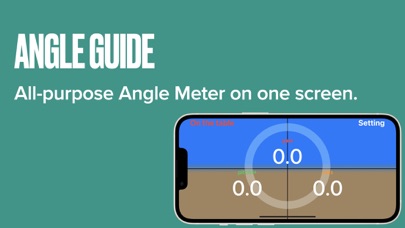
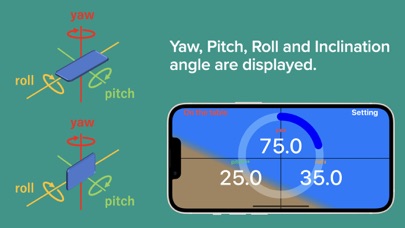
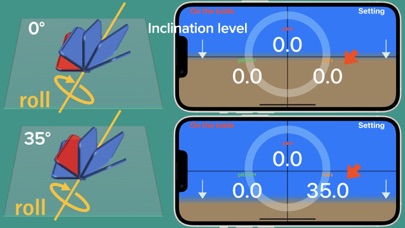
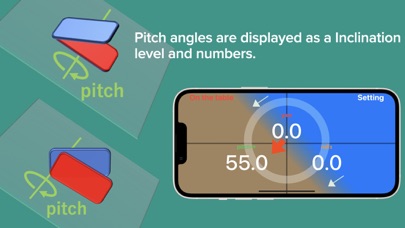
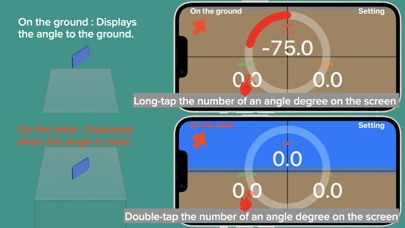
INSTRUCTIONS When the iphone is tilted, the tilt angle is displayed in the three axes of yaw, pitch, and roll. Long-tap the number of an angle degree on the screen: The angle is set "On the ground" is displayed in the upper left corner of the screen. Double-tap the number of an angle degree on the screen: The angle is reset and "On the table" is displayed in the upper left corner of the screen. Each time you double-tap, the angle is reset. Long press the number of an angle degree on the screen to initialize the angle. The angle based on the ground is displayed. "On the ground" is displayed in...
Quick Facts
📱 Category: Utilities
👨💻 Developer: Hideo Nose
💰 Price: Free to download
⭐ Rating: 1.0/5 from 1 users
🏷️ Genres: ["Utilities","Productivity"]
🔞 Age Rating: 4+
📦 Size: 2 MB
🔢 Version: 2.0.5
📅 On App Store: 3 years
🌍 Languages: 2
Get the full Utilities market analysis — complaints, features, pricing, competitors.
View Utilities Report — $9.99