Geo Bucket
By Matti Mustonen · Geocaching · Free ⚠ Last updated 2 years ago
Screenshots
About
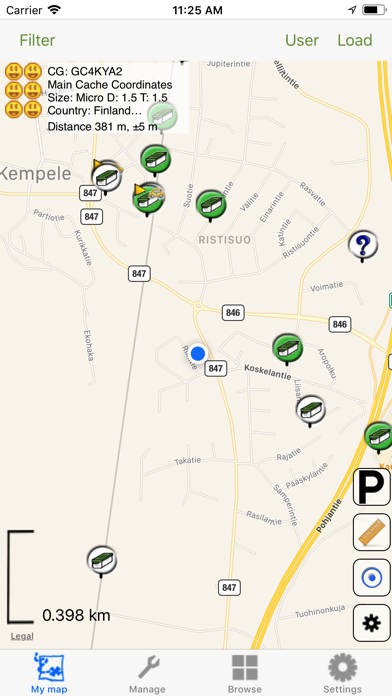
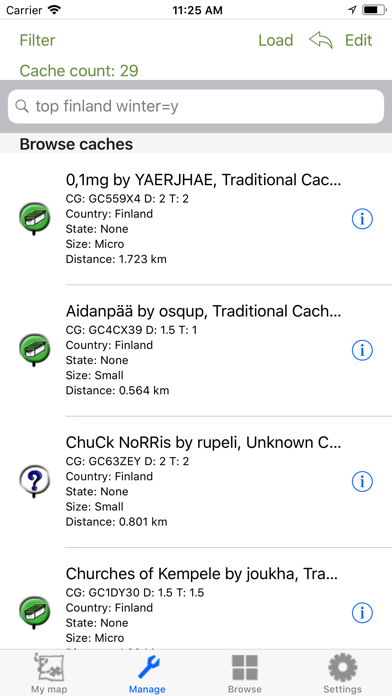
Using application is simple, just install the application, login, and press the Live button in top right corner of My Map to populate map with caches and you are ready to go geocaching. With Geo Bucket you can store geocaches and maps to your iDevice and you dont have to worry about roaming charges. The application has a My Map view where the downloaded caches are shown. Click a cache and there will be two actions available in the description. The i button on the left shows details of the cache and the > arrow on the right give you menu for different options. There are multiple ways to get ...
What's New (v5.6)
Quick Facts
📱 Category: Geocaching
👨💻 Developer: Matti Mustonen
💰 Price: Free to download
⭐ Rating: 3.9/5 from 75 users
🏷️ Genres: Navigation, Travel
🔞 Age Rating: 17+
📦 Size: 38 MB
🔢 Version: 5.6
📲 Requires: iOS 12.0+
📅 On App Store: 14 years
🌍 Languages: 1