AR Measure (Here You Are)
By HAN WEI WANG · Utilities · Free
Screenshots



About
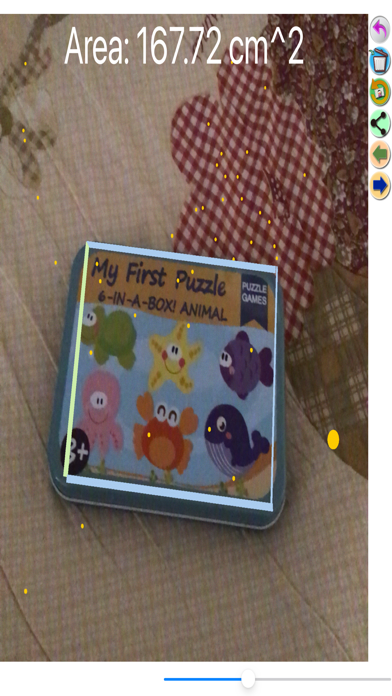
You can measure the length of object by clicking two or more points on phone screen using AR Measure. Moreover, you can also measure the area of any closed region by clicking three or more points on phone screen using AR Measure. The unit of length / area is centimeter (cm). Just click Area/Length button to change current measurement mode. After measurement, you can click Save button to save the image you created. And click View button to view all the images you created via AR Measure. Then click Clear button to start a new measurement, or click Undo button to revise the point you click.
Quick Facts
📱 Category: Utilities
👨💻 Developer: HAN WEI WANG
💰 Price: Free to download
⭐ Rating: 0.0/5 from 0 users
🏷️ Genres: ["Utilities","Photo & Video"]
🔞 Age Rating: 4+
📦 Size: 12 MB
🔢 Version: 1.6
📅 On App Store: 5 years
🌍 Languages: 1
Get the full Utilities market analysis — complaints, features, pricing, competitors.
View Utilities Report — $9.99